voice dictationcall transcriptswindowsopen source
Press a hotkey, speak, press it again. The text appears where your caret already was — in your editor, your browser, your chat window. Whisper runs on your own GPU, so nothing is uploaded and there is no account to make.
MIT · installer or zip · no account · Windows 10 and 11
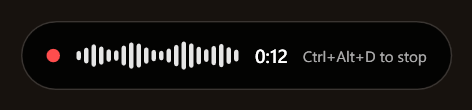
the indicator, floating above every window while you talk
why local
Then decide whether you want a copy of it on somebody else's server.
the case
Dictation is not a category where privacy is an abstract preference. People dictate the recovery phrase they are about to paste, the diagnosis they are about to email, the salary they are about to offer, and the full name of a colleague who never agreed to any of it.
Cloud dictation ships every one of those to a machine you do not own.
Windows has dictation built in, and for plenty of writing it is fine. The one you reach for — Win+H — does the recognition on Microsoft's servers. Tapybara does that part here: whisper.cpp runs on your own GPU, and the recording is a local file that is deleted afterwards rather than a request to somebody's API.
Running it yourself also means you choose the model. Language-specific fine-tunes exist and are often markedly better than the general one for their language; swapping to one is a file in a folder.
The trade is real and worth stating plainly. You download a model once — several hundred megabytes — and you want a GPU for this to feel instant. On a CPU it runs at roughly the speed you spoke, which is fine for a sentence and tedious for a paragraph.
One 28-second sample, large-v3-turbo, on an RTX 3060.
Measured on one machine, not a benchmark suite.
calls
Your microphone and your speakers are captured separately, and that one decision does most of the work that speaker identification usually has to guess at. Below is a call taken apart. Flip the switches.
Written for the page — not a recording of real people.
what that buys
With one other person there is nothing to work out: whoever spoke is decided by which track the speech landed on, and their name goes straight into the transcript. No voice comparison happens at all.
With three, the far track is split by voice — pyannote segmentation and a speaker-embedding model, both ONNX, both on your CPU, both offline. Tapybara asks who was on the call the moment it ends, while you still remember, and that answer is not a nicety: on a two-voice check file, knowing the count gave the boundary exactly, and the same audio without it came apart into four speakers.
Your own track is never analysed. It belongs to the microphone owner by construction — and leaving it out removes the loudest, closest, most-interrupting voice from the hardest part of the problem.
Recording captures the other party too. In many places recording someone without telling them is unlawful, and everything audible on the chosen output device is captured — notifications, music, another meeting — not only the call. Tapybara says this once, before the first recording, rather than starting quietly.
people
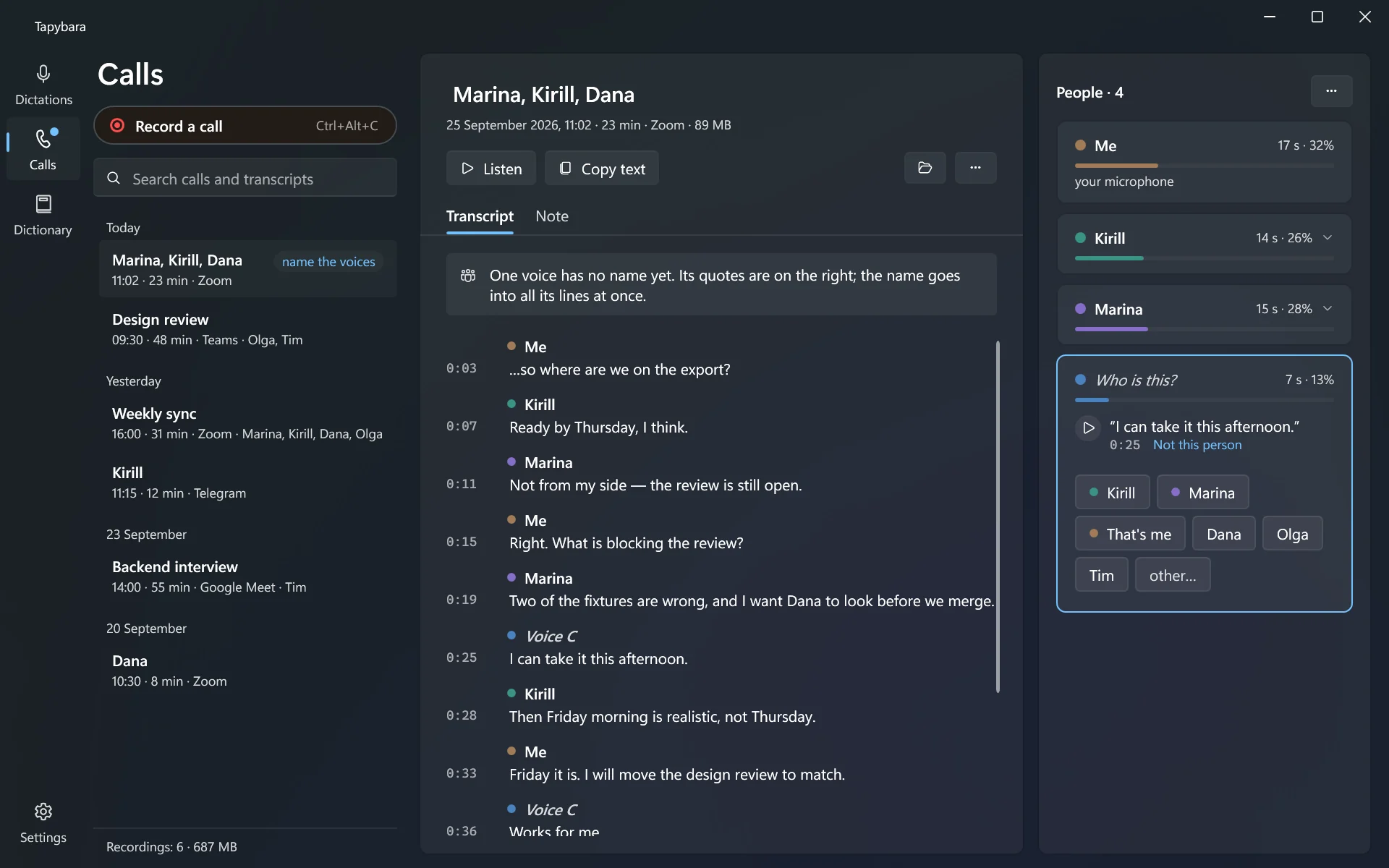
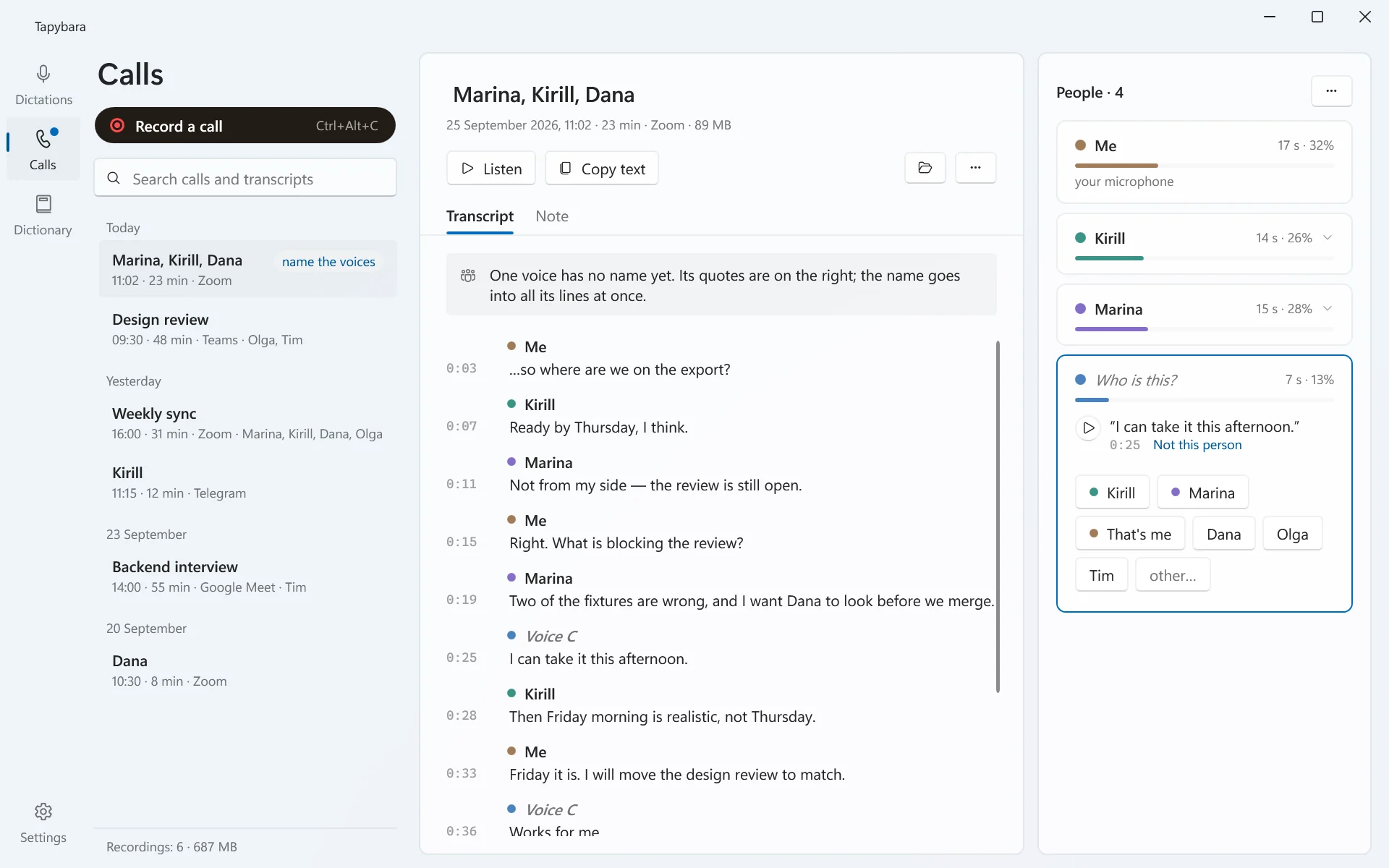
The splitter finds voices; it cannot know whose they are, and guessing from the order people joined is how transcripts end up confidently wrong. So a voice without a name comes with its quotes and a play button that plays the line from the far track alone, and you pick the name of whoever said it. The name goes into every line of that voice at once, without transcribing again.
Now and then the splitter tears one person into two voices — someone moved away from the microphone or started talking louder. The people already on the call are offered first, with their colour; picking one joins the voice to that person. Each person lists the voices they are made of, with Detach by each, so a wrong pick is one click to undo. Your own voice leaking into the far track through speakers is That's me. You are on the list too, with your share of the call.
After the split every line of four seconds or more is compared with its voice. A line that does not sound like it is marked with a ?; when minutes of speech sound like nobody found, the panel says someone else was probably on the call and offers to split again with one voice more.
Named voices are remembered. On the next call Tapybara says Sounds like Kirill · 87% and waits for That's right — it never writes a name on its own guess. The voiceprints stay on this computer, remembering can be switched off, and a person is forgotten with one click.
fixing words
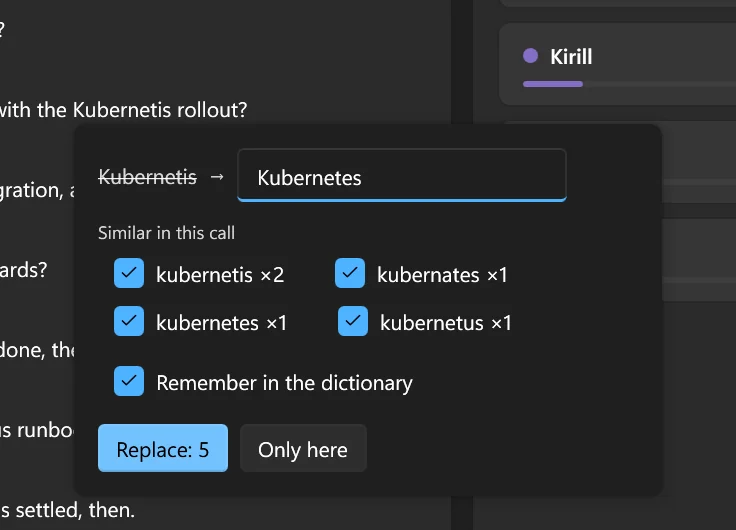
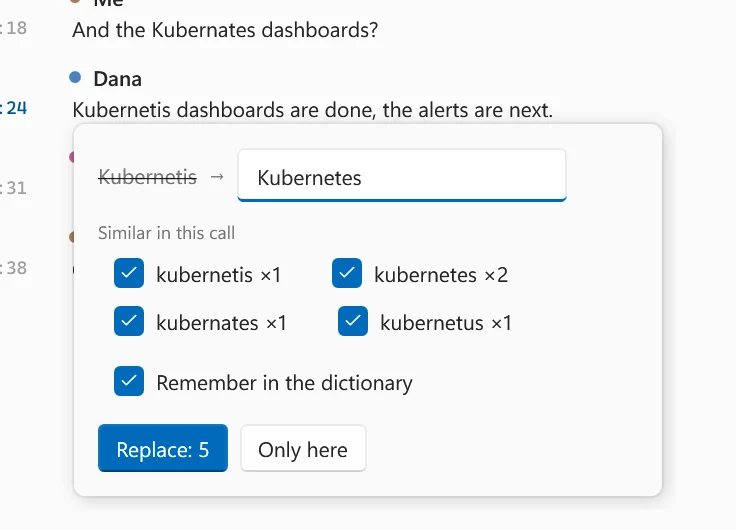
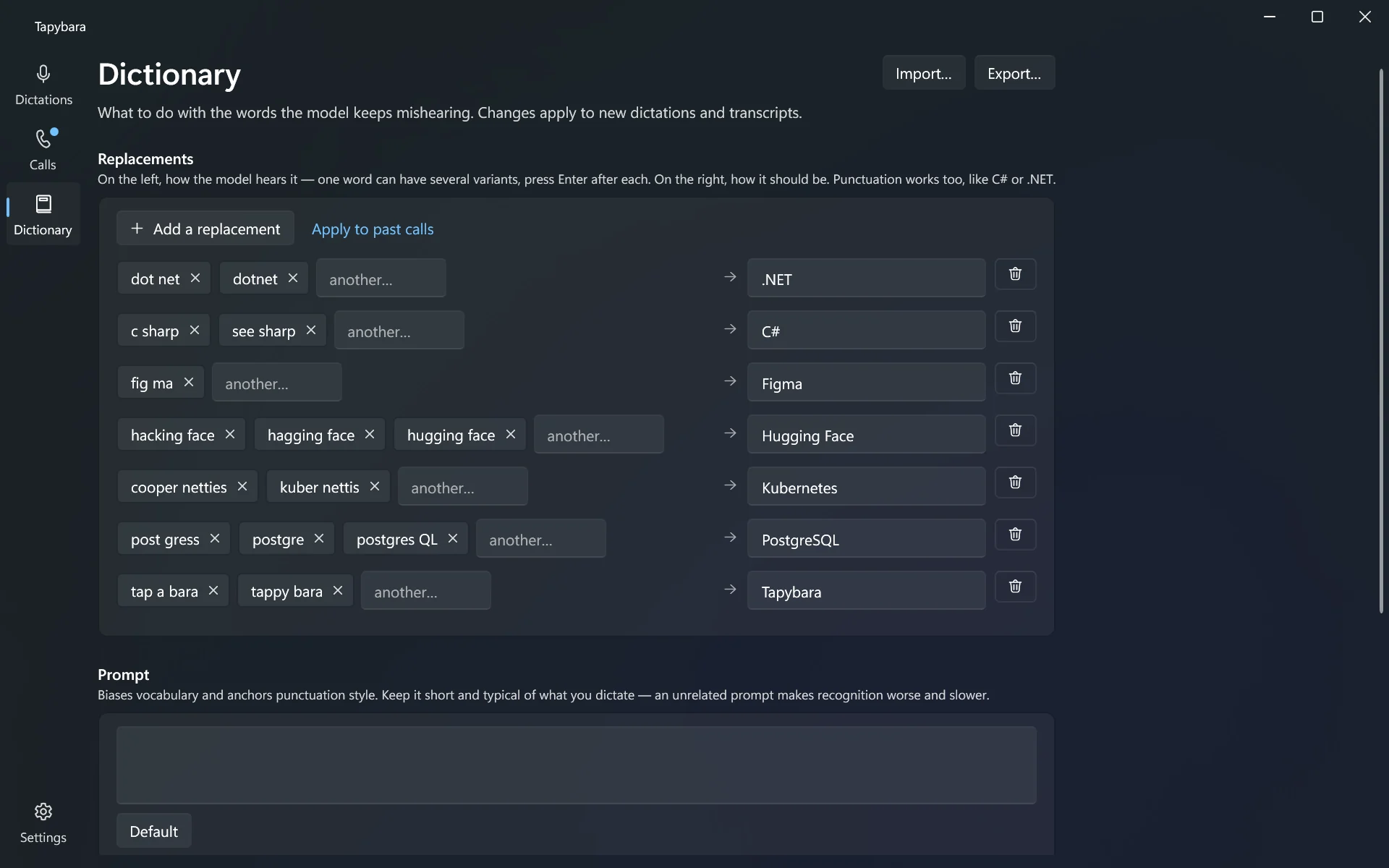
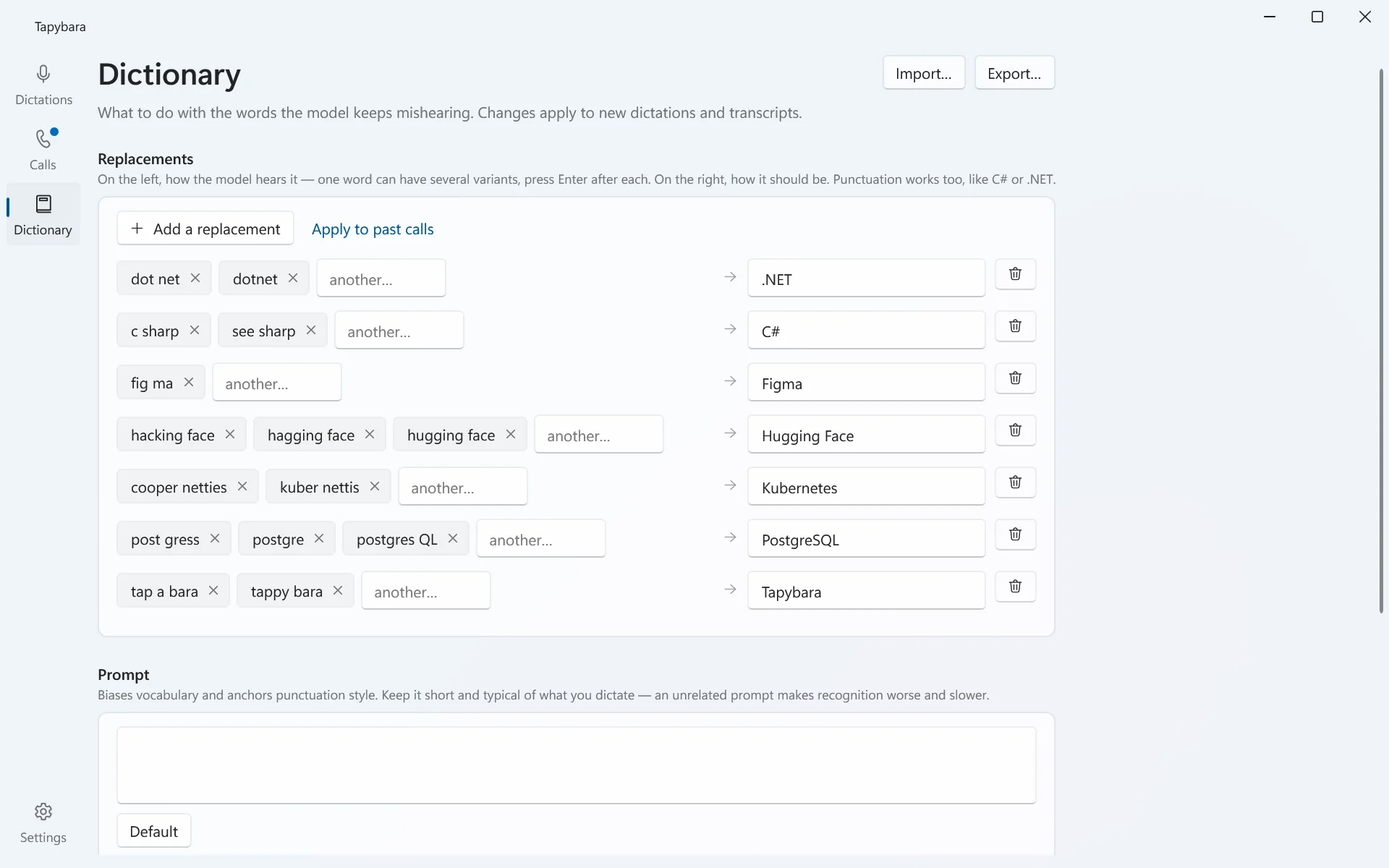
Whisper mangles an unfamiliar name differently each time it hears it — Kubernetis, Kubernates, or cut in two where a pause falls. Double-click one: the card lists every spelling of it in the call and how often each occurs, all ticked, and one Replace fixes them together. The text is edited in place, nothing is transcribed again, and the spellings go into the dictionary, so the next call and the next dictation come out right. The dictionary can also be applied to calls transcribed before the word was in it.
A whole line is edited in place too. A call with edits asks before it is transcribed again, because that would undo them.
sharing
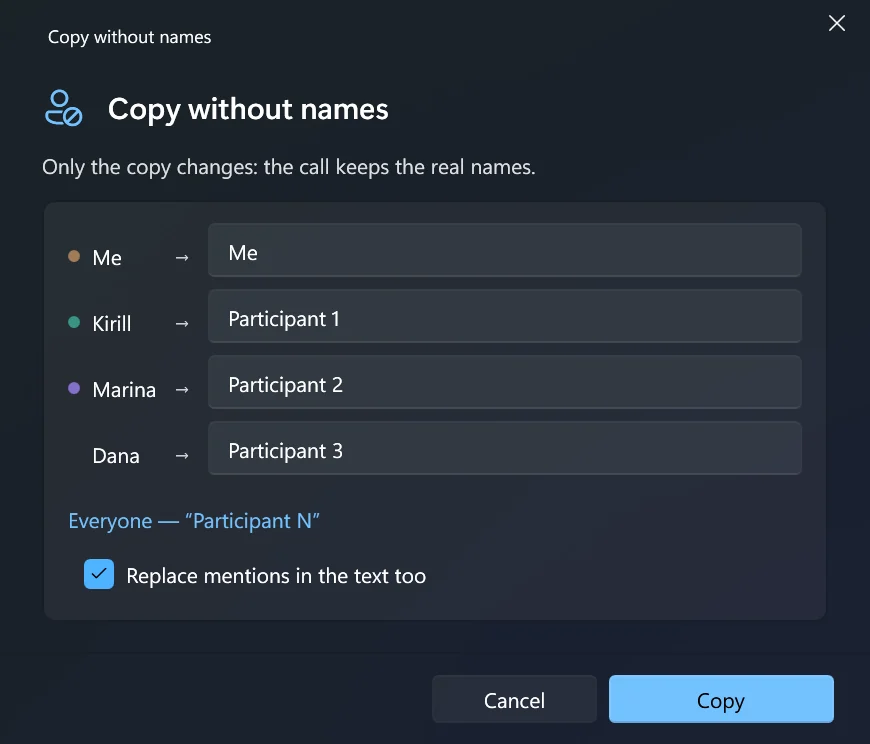
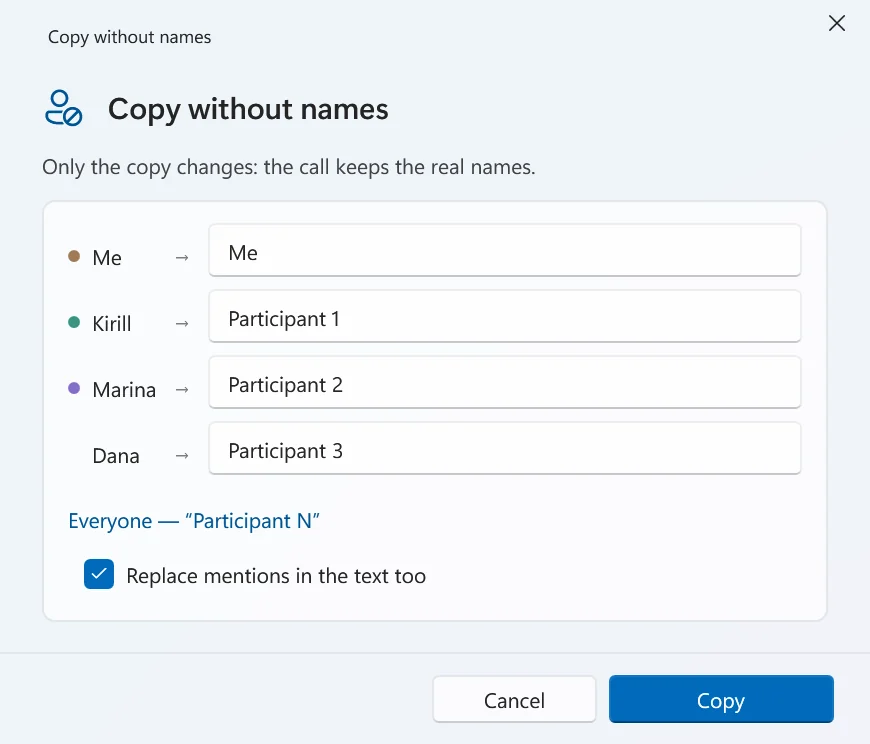
Copy without names gives everyone an alias — yourself and people only mentioned in passing included — and replaces the mentions in the text as well, declining Russian names so a sentence stays grammatical. Only the copy changes: the call keeps the real names. Aliases are remembered, so the same person is the same alias in the next copy.
Renaming someone for real is a different action. Rename everywhere changes the name in every call, in the voice book and in the list of people, and shows each mention with what it will become before anything is written.
dictation
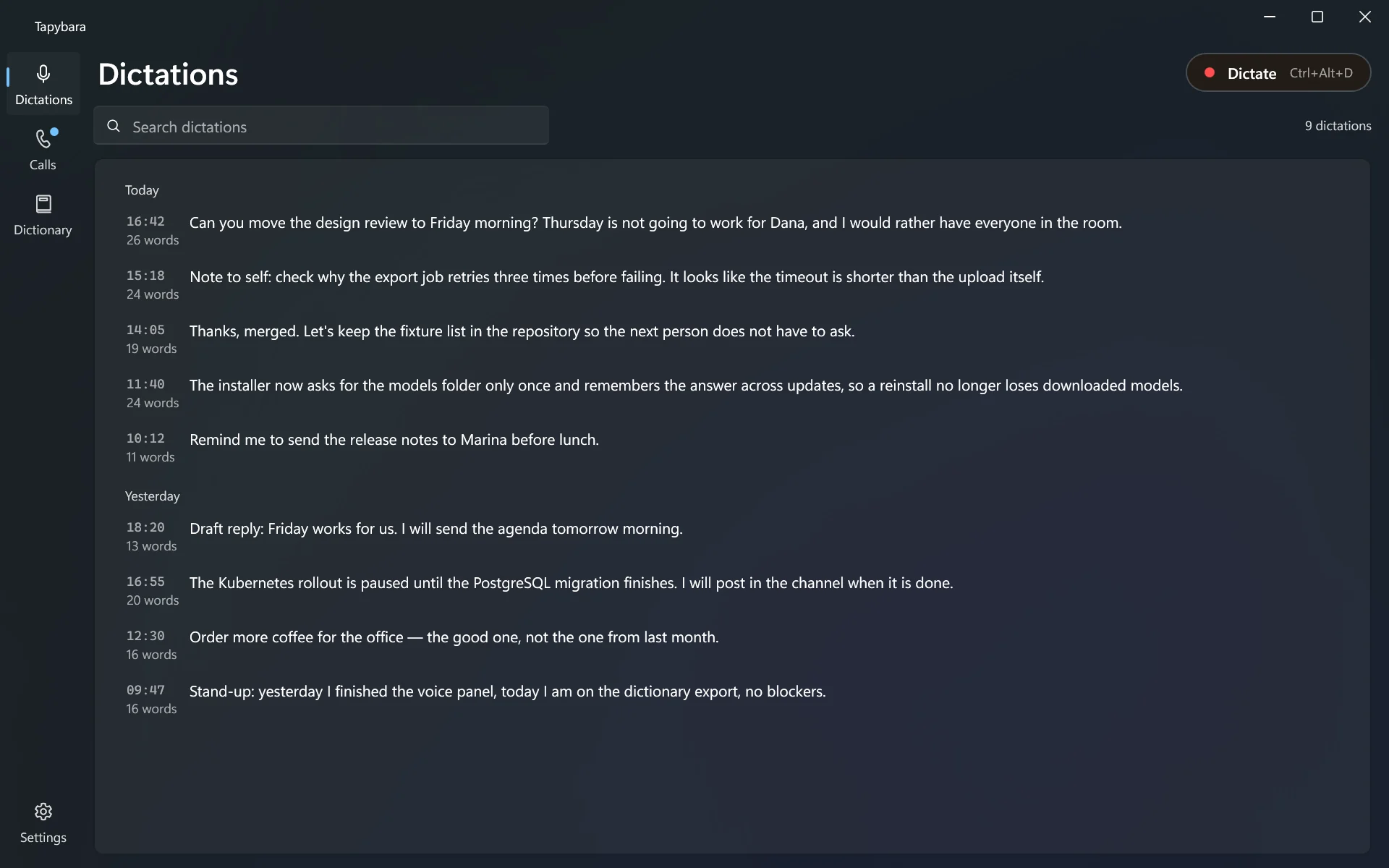
Dictating never takes you to Tapybara's window. That is the point: switching away from what you were writing defeats the exercise.
01 — PRESS
The indicator appears above everything, showing your microphone level and elapsed time. Focus does not move, so your caret stays where it was.
02 — SPEAK
Pauses become paragraph breaks, since Whisper's timings say where they were. Escape discards the recording — and other applications still receive their Escape while you dictate.
03 — PRESS AGAIN
Inserted, not left on the clipboard for you to paste. Insertion goes through a synthetic paste, the path that also works in Electron and Chromium apps.
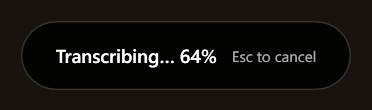
recognition runs after you stop, not while you speak
the app
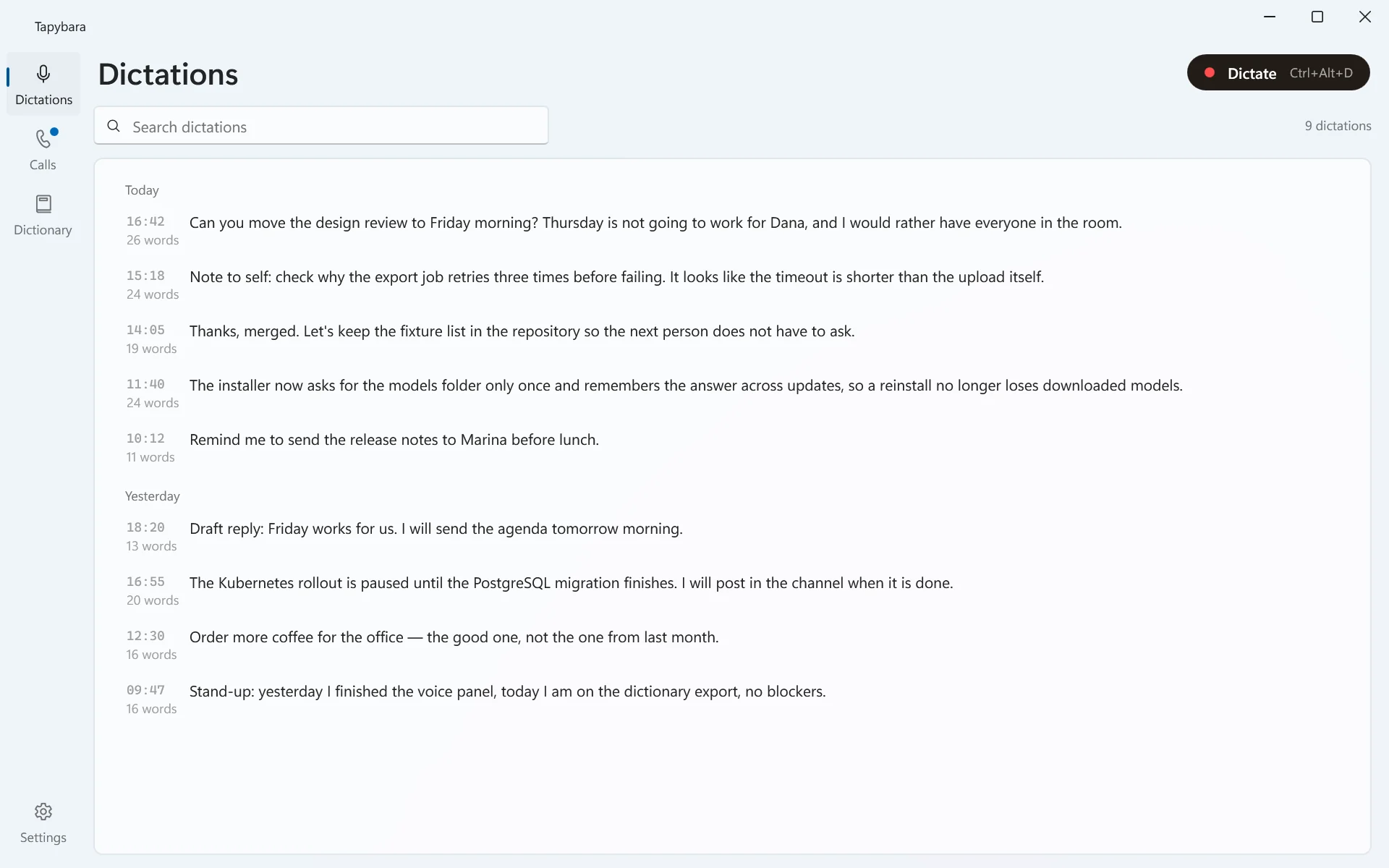
Dictations, calls and the dictionary share one window; settings have their own, which you open once. Both follow Windows — its type, its cards, its light and dark.
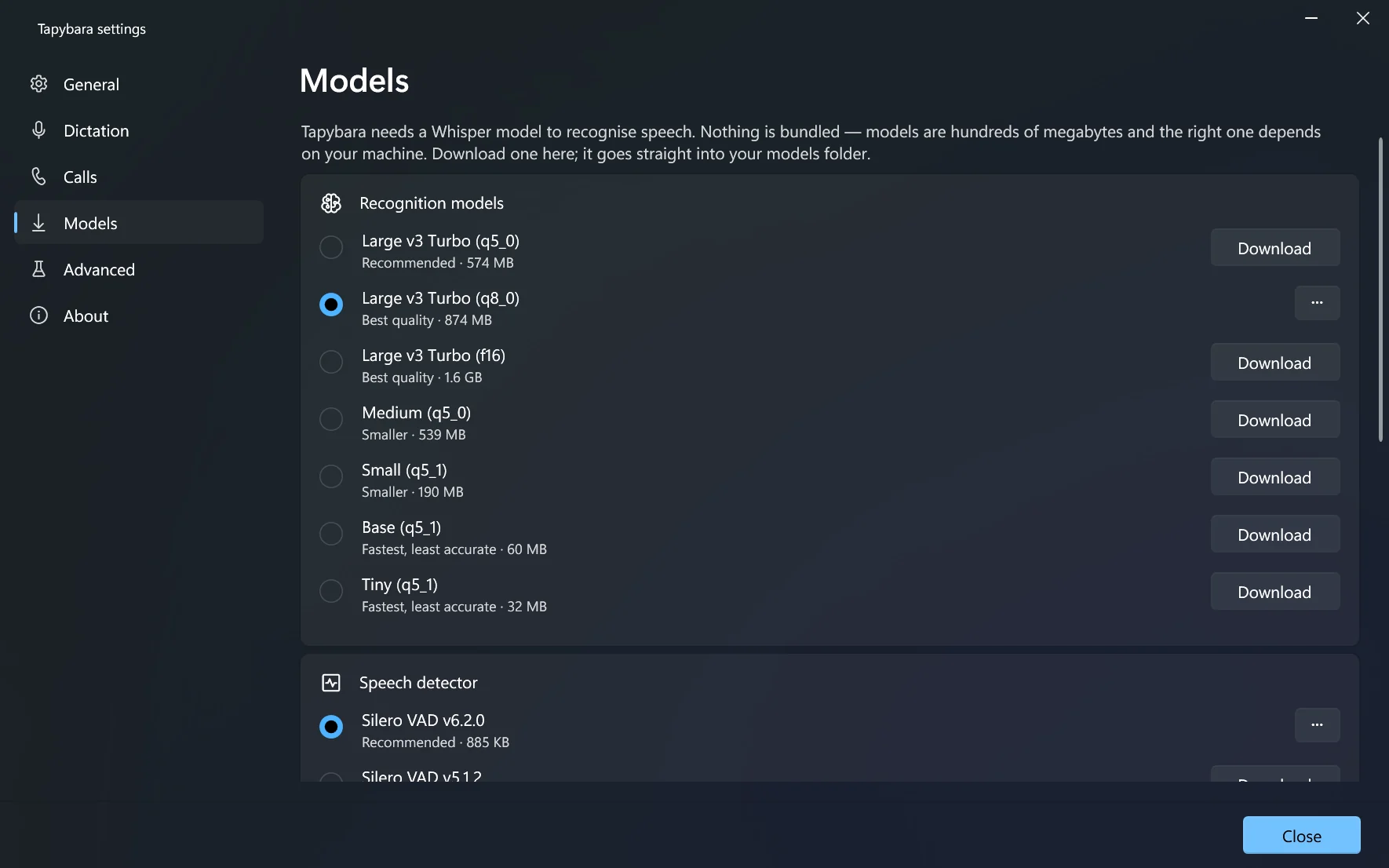
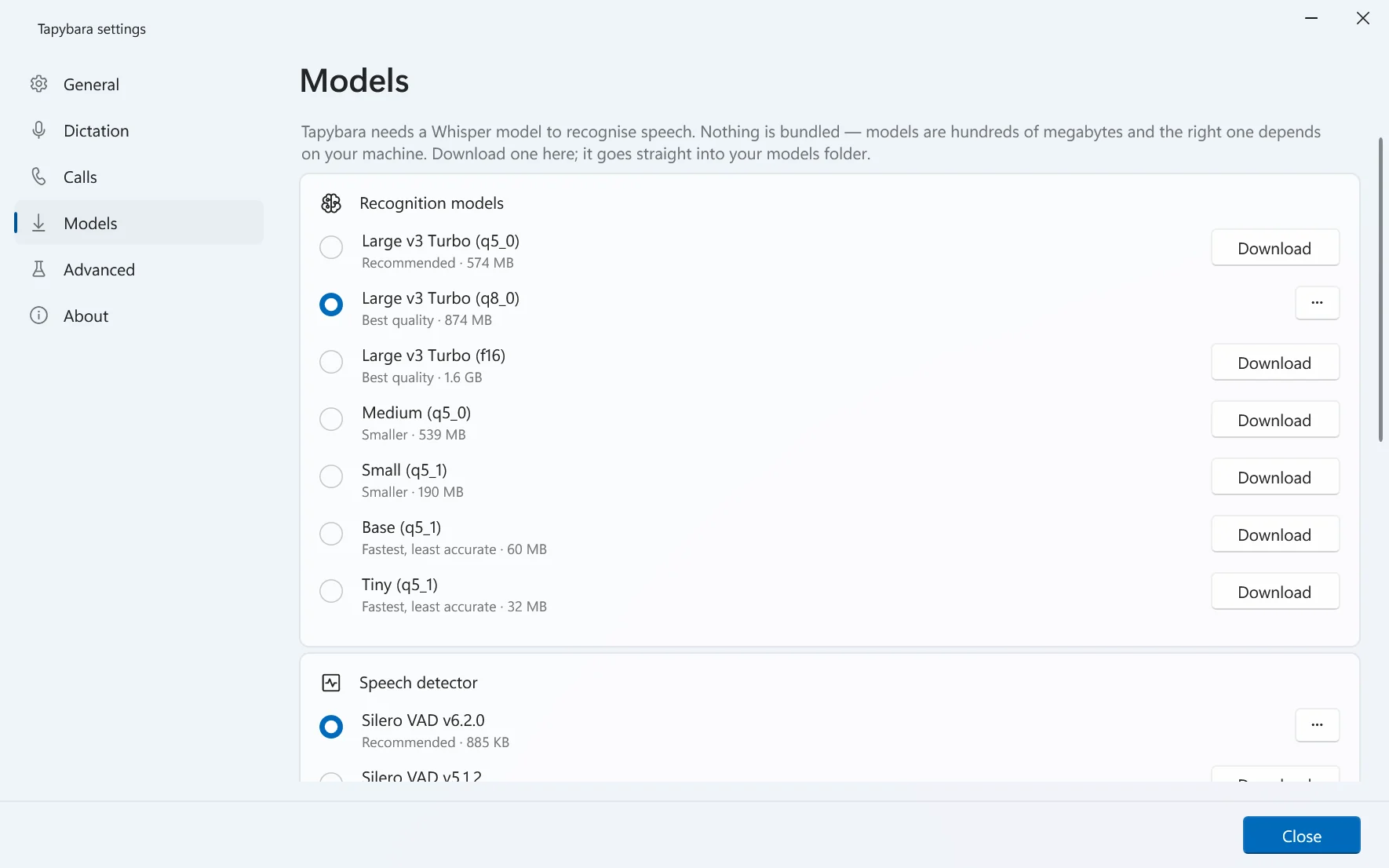
small things
The decoder weighs several wordings of a phrase and scores them whole, instead of committing to the likeliest next word and never reconsidering. It costs about half again in time and fixes the errors you would otherwise be correcting by hand.
Whisper does not mark paragraphs, but its segments carry timestamps and a pause is a fair signal that the speaker moved on. Optional, with a threshold.
Dictations stay pasteable with Ctrl+V but are kept out of the Win+V history.
Cancelling watches the key through a hook rather than claiming it, so dialogs still close and menus still dismiss while a dictation is running.
A small model finds where the speech actually is before Whisper runs, so each line sits where it was said and silence does not come back as thanks for watching.
Point at a line and a ▶ appears by its time. The playing line gets a bar and fills as it sounds, and the transcript scrolls along — unless you scrolled away to read something else.
Ctrl+Alt+C starts and stops a recording from anywhere. The indicator shows a ring instead of a dot, so a call is never mistaken for a dictation.
In the zip build, an empty portable.txt next to the executable moves settings and models beside it, leaving nothing in the system.
The Vulkan backend ships inside the graphics driver — NVIDIA, AMD or Intel — so there is nothing extra to install.
Following the system language by default. Recognition covers the 99 languages Whisper knows, detected or pinned to one.
quick start
three steps
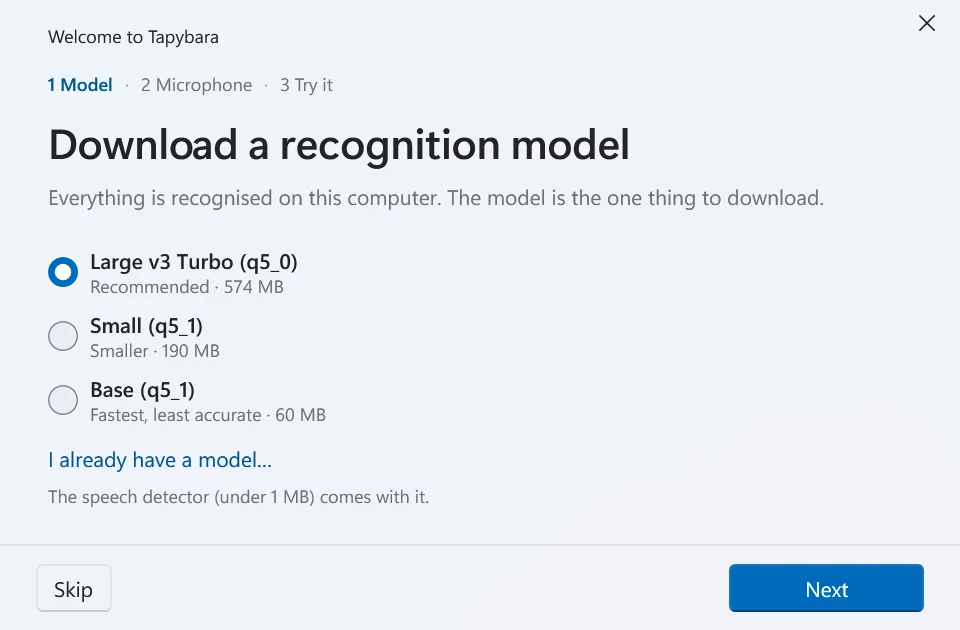
Tapybara-win-Setup.exe. It installs for your user without administrator rights and keeps itself up to date. No .NET needed. Prefer a portable copy? The zip on the same page runs from any folder.Large v3 Turbo (q5_0) is a reasonable first pick at about 550 MB — checks the microphone, and has you dictate a first sentence.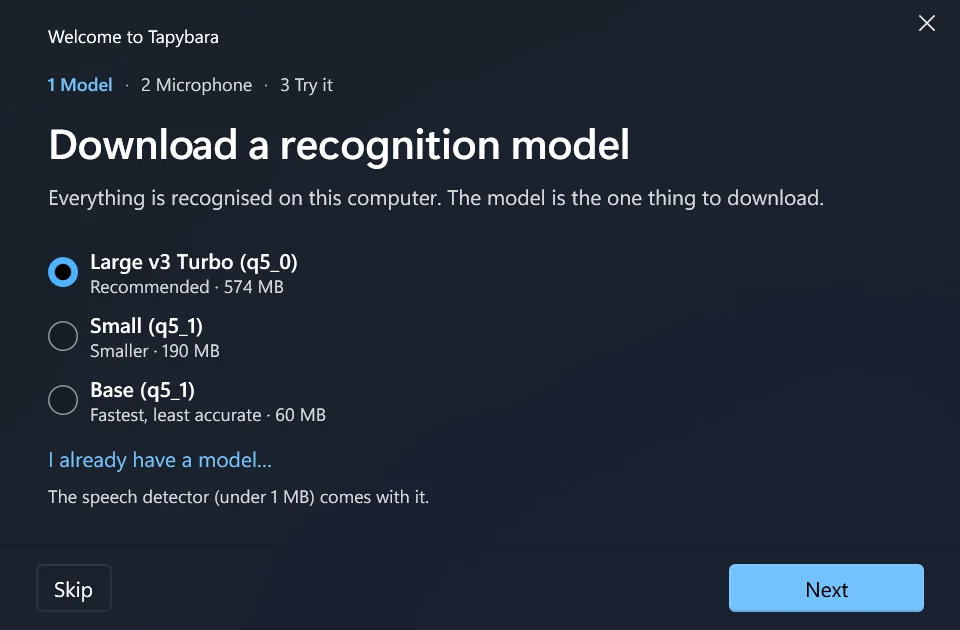
Or build it yourself:
# Windows, .NET 10 SDK
git clone https://github.com/keshon/tapybara
cd tapybara
build.cmd run
Early development. Dictation works end to end and is used daily. Call recording works but is newer and less exercised. If something breaks, the log sits next to the settings file and the issue tracker is open.
faq
No. Recognition, voice activity detection and telling voices apart all run locally. Tapybara makes two kinds of request: downloading a model when you ask it to, from Hugging Face, and — in the installed version — asking GitHub for the list of releases, which can be switched off. Neither carries anything about you or your recordings. There is no telemetry and no server component. Your dictation history and the voiceprints of people you named stay on disk here too.
Models are hundreds of megabytes, and which one suits you depends on your hardware and the language you speak. Bundling one would enlarge the download for everybody and still be the wrong choice for many. The first-run window fetches one, Settings › Models has the rest, and a download resumes where it left off if the connection drops.
Not strictly, but it is the difference between a second and a minute. Any Vulkan-capable GPU works and the runtime ships in the graphics driver. On CPU, transcription runs at roughly real time, which is fine for a sentence and tiring for a long dictation. Telling voices apart runs on the CPU either way, in the background, at several times real time.
Good, not perfect. Names and jargon get mangled in predictable ways, which is what the replacements list is for — and a word misheard in a call is fixed in place, every spelling at once, without transcribing again. On silence Whisper sometimes emits phrases it learned from subtitles — "thanks for watching" and similar — and those are filtered out, deliberately conservatively, so an unusual real sentence is kept rather than an occasional artefact removed.
Honestly: better with help than without. Naming the participants when the call ends gives the splitter the number of voices to look for, and that single hint is worth more than any threshold. After the split every line is checked against its voice, and the ones that do not fit are marked. The names come from you, picked by what each voice said — never from the order people joined. Several people sharing one room and one microphone defeat every system of this kind, including this one; a person torn into two voices is joined back with a click, and a wrong count is fixed by splitting again.
Yes. Copy without names in a call's menu copies the transcript with an alias for each person — yourself included — and replaces their names in the text too. The call itself keeps the real names; only the copy changes, and the aliases are remembered for the next one.
Yes — in a file next to the settings, so a dictation that went into the wrong window is never lost. It is plain text on your own disk. Single entries can be deleted from the Dictations page, and Settings › General switches history off if you dictate passwords.
The part that took months to build up, yes: Dictionary › Export saves the replacements, the prompt, the people and their voiceprints into one file, and Import on the other machine merges it in without overwriting what is already there. Hotkeys, devices and folders stay behind, because they belong to the machine.
Text goes in through the clipboard followed by a synthetic Ctrl+V, which works everywhere, including Electron and Chromium apps where accessibility-based insertion is accepted and then silently ignored. If the target window runs as administrator and Tapybara does not, Windows blocks the keystroke; the text is still on the clipboard and Tapybara says so.
Whisper knows 99. Detection is the default, or one can be pinned. Fine-tunes for a specific language often punctuate better than the stock model — put one in the models folder and it appears in the list.
No. MIT licensed, source on GitHub, nothing to sign up for.
One executable, one model you pick yourself, and nothing that talks to a server on your behalf.
MIT · installer or zip · no account · Windows 10 and 11
 Tapybara